Connect Porkbun
Step-by-step guide to connect your Porkbun account to Domain Pilot
This guide walks you through connecting your Porkbun account to Domain Pilot so you can manage all your Porkbun domains from a single dashboard.
Step 1: Open API Access
-
Log in to your Porkbun account
-
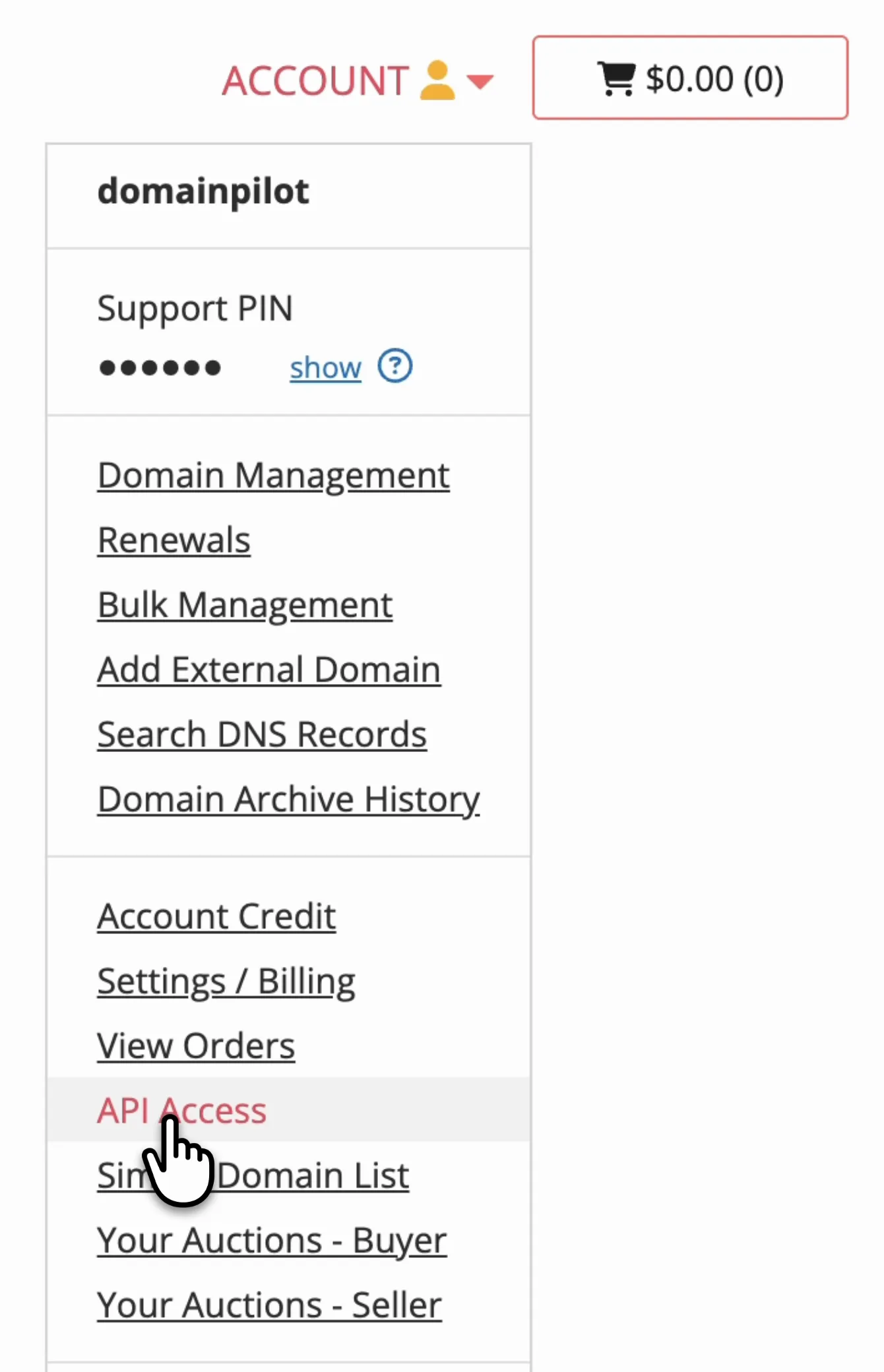
Open the Account menu and select API Access
Step 2: Opt In All Domains
Porkbun only allows API access to domains that have it turned on. The easiest option is to turn on the toggle to opt in all domains, so new domains are included automatically.
If you'd rather choose specific domains, leave the toggle off and turn on API Access for each domain in Domain Management instead.

Step 3: Create an API Key
-
Scroll down to the API keys section
-
Enter a name for the key, such as "Domain Pilot"
-
Click Create API Key

Porkbun generates two values: an API Key and a Secret Key. Domain Pilot needs both.
Important: Porkbun only shows the Secret Key until the page refreshes. Copy both keys before leaving the page.
Step 4: Connect in Domain Pilot
- Log in to Domain Pilot
- Click Registrars in the sidebar, then click Add Registrar
- Select Porkbun
- Paste your Porkbun API Key into API Key
- Paste your Porkbun Secret Key into Secret API Key
- Click Test Connection
Verifying the Connection
Domain Pilot imports your domains as soon as the connection test succeeds and shows how many it found. Click View My Domains to see them on the Domains page.
Troubleshooting
"Invalid Credentials" Error
- Ensure both the API Key and the Secret Key are correct
- Check that the keys have not been deleted or regenerated in Porkbun
- Try creating a new API key if the issue persists
Only Some Domains Appearing
- Porkbun only shares domains that have API access turned on
- Turn on the opt-in toggle for all domains, or turn on API Access for each missing domain