Connect Namecheap
Step-by-step guide to connect your Namecheap account to Domain Pilot
This guide walks you through connecting your Namecheap account to Domain Pilot so you can manage all your Namecheap domains from a single dashboard.
Namecheap API Access Requirements
Namecheap restricts API access to accounts that meet certain criteria. This is a limitation imposed by Namecheap, not by Domain Pilot. To enable API access, your Namecheap account must meet one of the following:
- Have 20 or more domains in your account
- Have an account balance of $50 or more
- Have spent $50 or more in the last 2 years
Accounts that don't meet these requirements will not be able to enable API access. If you're affected by this, please contact Namecheap support for further assistance.
Step 1: Enable API Access
-
Log in to your Namecheap account
-
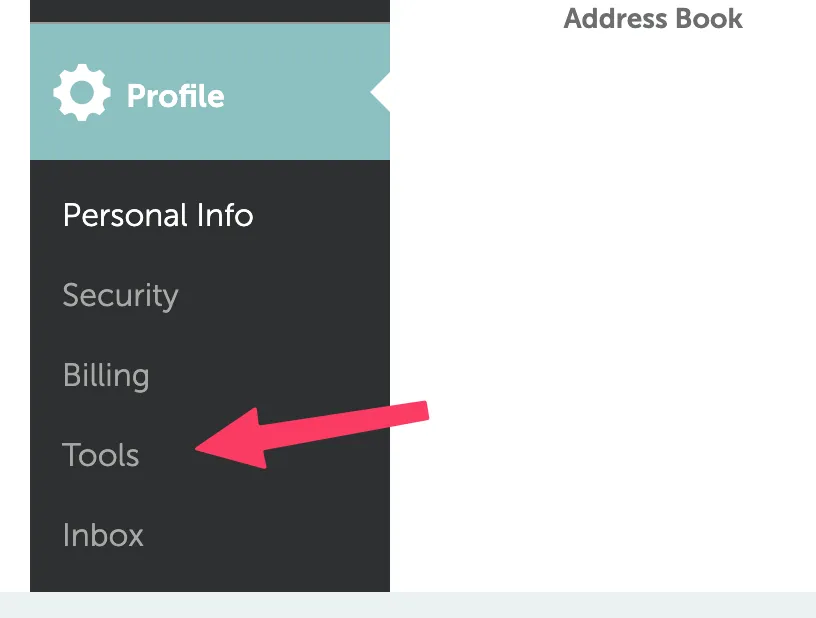
Navigate to Profile

-
Click Tools
-
Scroll down to Business & Dev Tools, find Namecheap API Access and click Manage

Step 2: Whitelist IP Address
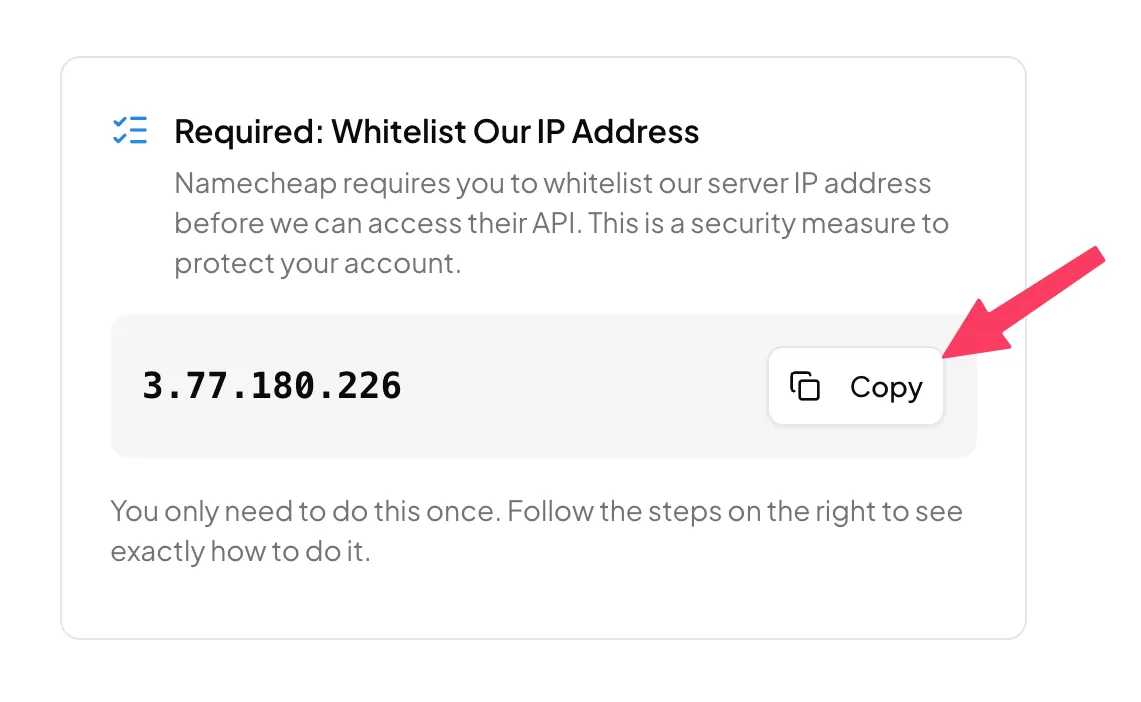
Namecheap requires you to whitelist Domain Pilot's server IP address before we can access their API.
-
In the Domain Pilot connection dialog, copy the IP address shown
-
Back in Namecheap, go to Whitelisted IPs and click Add IP

-
Enter "Domain Pilot" as the IP Name, paste the IP Address, enter your Namecheap password, and click Save Changes

Step 3: Copy Your API Key
-
In the Namecheap API Access section, copy your API Key

Step 4: Connect in Domain Pilot
- Log in to Domain Pilot
- Click Registrars in the sidebar, then click Add Registrar
- Select Namecheap
- Enter your API Username (your Namecheap account username) and API Key
- Click Test Connection
Verifying the Connection
Domain Pilot imports your domains as soon as the connection test succeeds and shows how many it found. Click View My Domains to see them on the Domains page.
Troubleshooting
"API Access Denied" Error
- Verify that API access is enabled in your Namecheap account
- Check that Domain Pilot's IP address is whitelisted
- Ensure your account meets Namecheap's minimum requirements for API access
"Invalid Credentials" Error
- Confirm your API username matches your Namecheap account username
- Re-copy the API key to ensure no extra spaces or characters
Domains Not Appearing
- Allow a few minutes for the initial sync to complete
- Verify the API key has not been regenerated since connecting