Connect Hostinger
Step-by-step guide to connect your Hostinger account to Domain Pilot
This guide walks you through connecting your Hostinger account to Domain Pilot so you can manage all your Hostinger domains from a single dashboard.
Step 1: Create an API Token
-
Log in to your Hostinger account
-
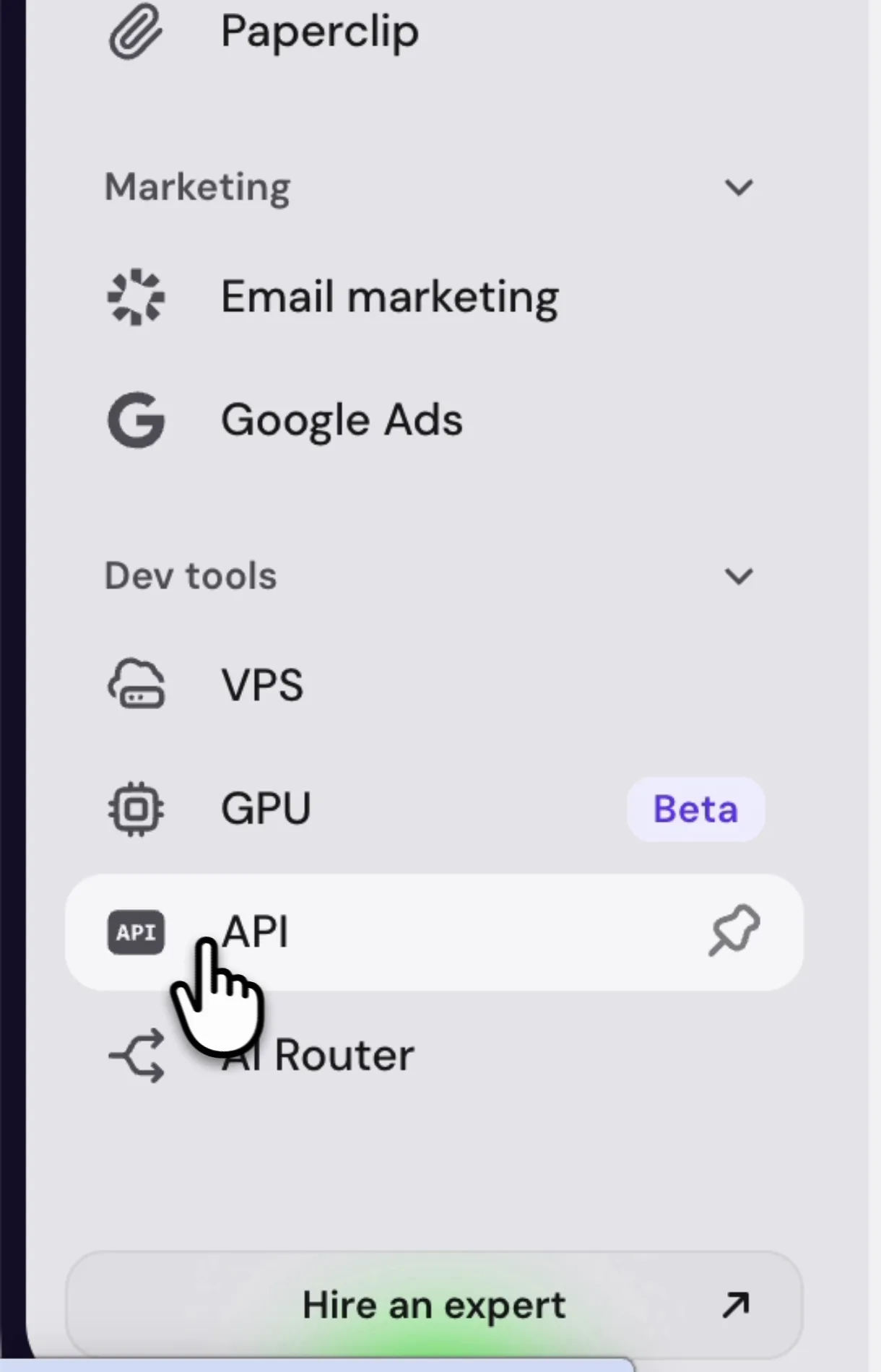
Scroll to the bottom of the left navigation and click API, under Dev tools
-
Open the API tokens tab and click New token

-
Enter a name, such as "Domain Pilot"
-
Set Expiration to Never expires, so the connection doesn't stop working when the token expires
-
Click Generate

Step 2: Copy the Token
Hostinger shows the token only once. Click Copy next to the token and make sure it's on your clipboard before leaving the page.

Step 3: Connect in Domain Pilot
- Log in to Domain Pilot
- Click Registrars in the sidebar, then click Add Registrar
- Select Hostinger
- Paste your token into API Token
- Click Test Connection
Verifying the Connection
Domain Pilot imports your domains as soon as the connection test succeeds and shows how many it found. Click View My Domains to see them on the Domains page.
Troubleshooting
"Invalid Token" Error
- Ensure the token was copied correctly without extra spaces
- Check that the token has not been deleted in Hostinger
- Create a new token if the issue persists
Connection Stopped Working
- If you set an expiration date, the token may have expired
- Create a new token with Expiration set to Never and update it in Domain Pilot